Stop queueing iOS reviews behind one Mac.
Give each cloud coding agent a disposable hosted iOS Simulator through remote MCP. Build from Linux, launch the app, inspect the UI, act, and collect logs without handing the agent a Mac or Xcode.
No card · 2 Simulator hours · 1 source build
Review the run, not a claim that it passed.
Every retained run keeps its screens, actions, logs, and recording together. These are actual AgentCloud product screens with demo data.
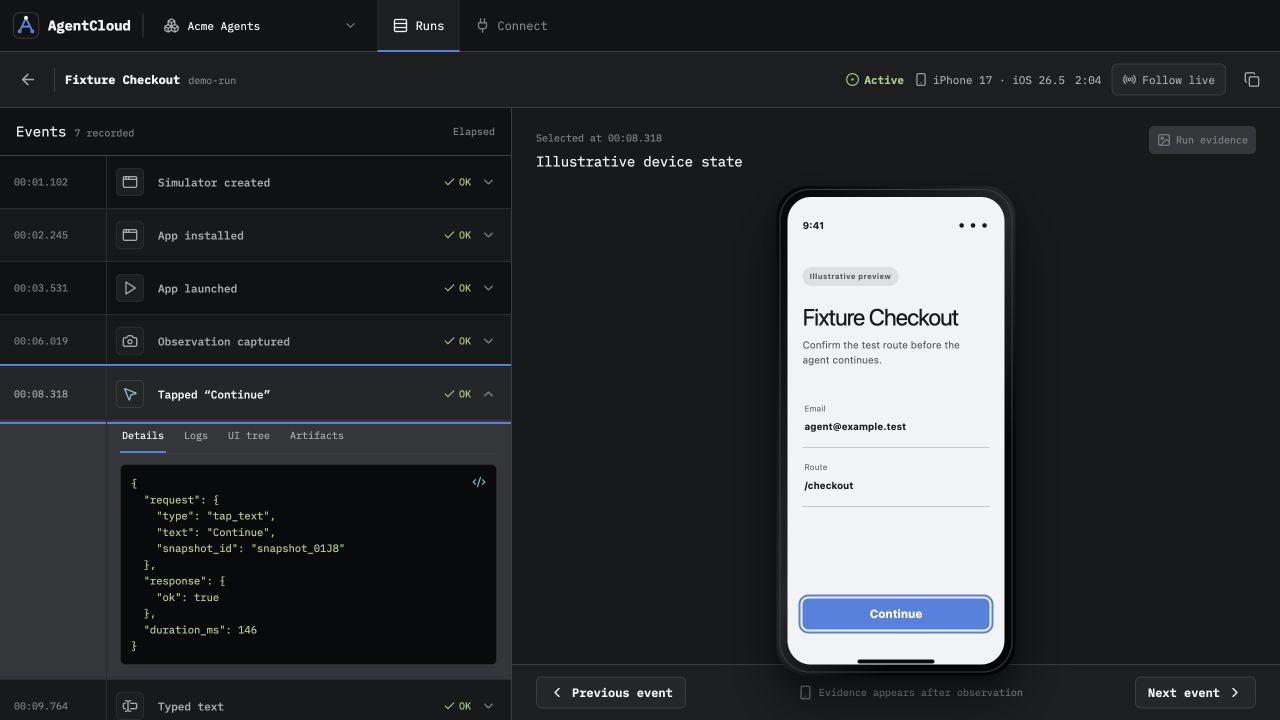
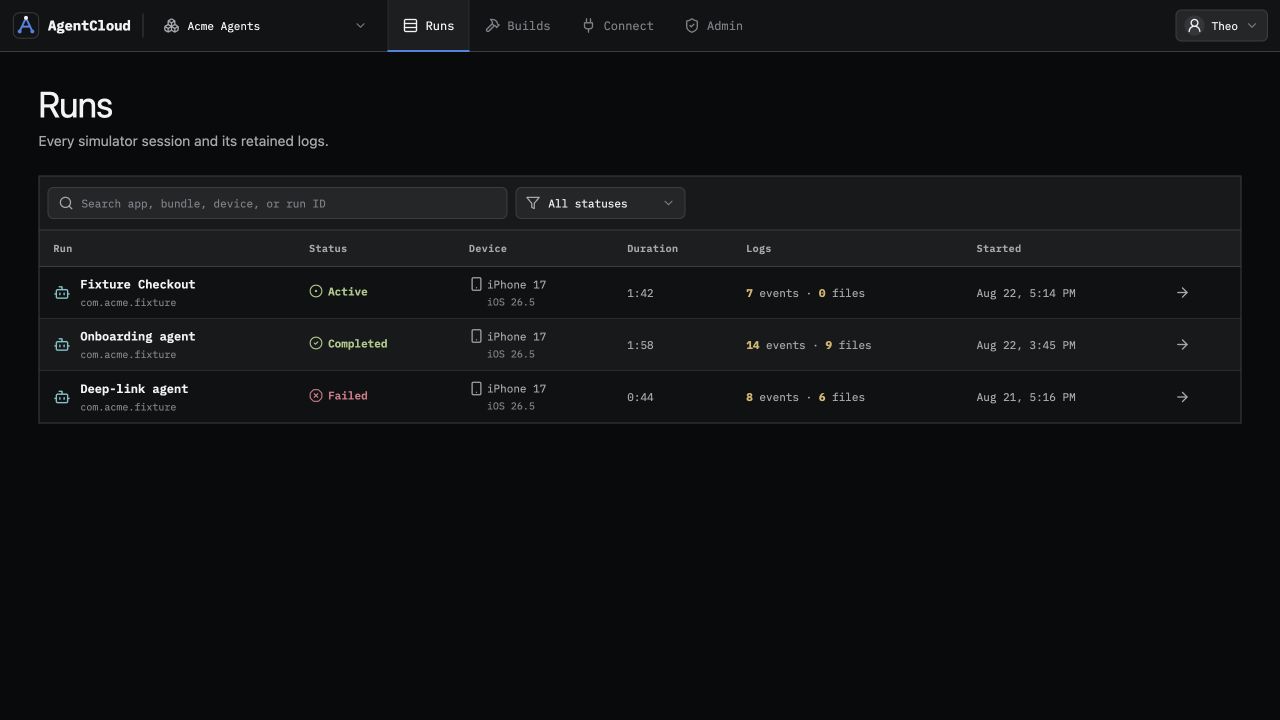
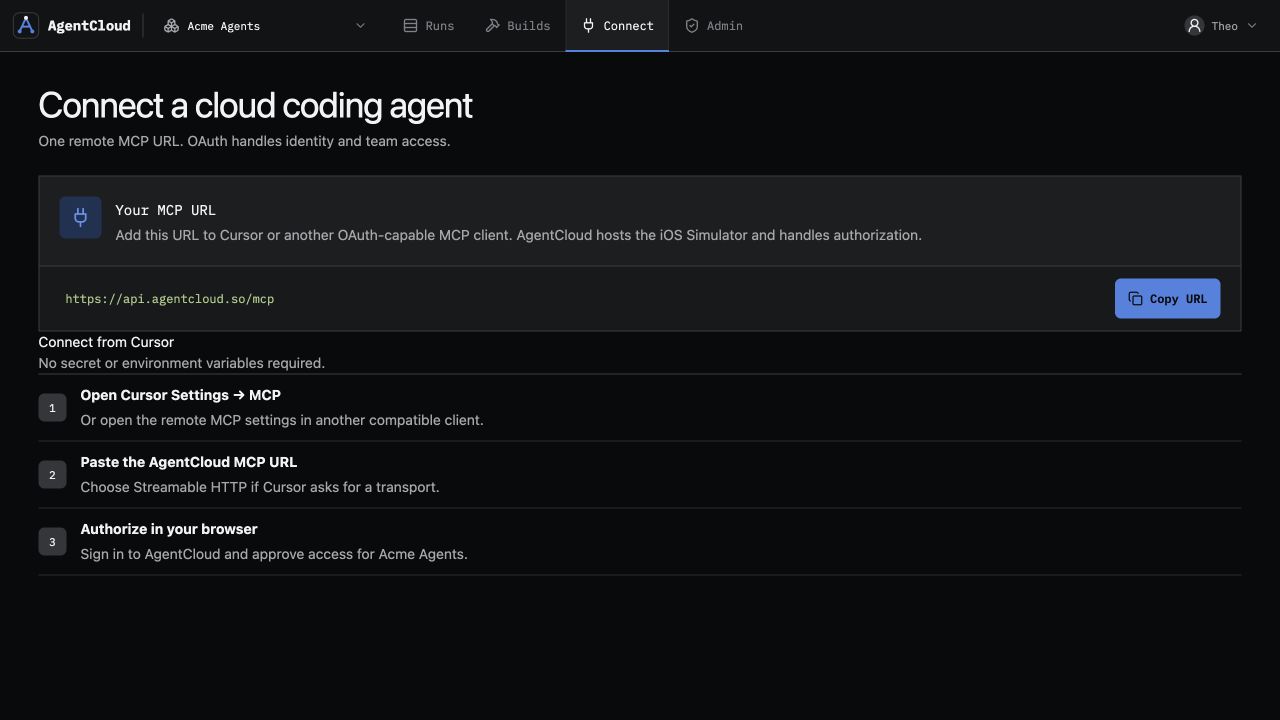
Replace the local Mac queue with parallel evidence.
From agent change to reviewable iOS run.
AgentCloud schedules the build and Simulator separately, then keeps the complete run as one review surface.
- Upload the iOS target
The agent sends build-ready source or a Simulator-compatible
.app. - Schedule build and session
A managed Xcode build creates a reusable Simulator artifact when source is provided.
- Launch, observe, and act
The agent uses focused tools to inspect the UI, interact, and read application output.
- Review retained evidence
Your team inspects the screens, actions, logs, artifacts, and full-run recording.
Ten iOS sessions. One remote endpoint.
Scale gives mobile teams and agent products about 841 hours of iOS Simulator usage credit, 10 concurrent sessions, unlimited source builds, and 90-day run evidence for a $999 monthly minimum.
- 10
- concurrent iOS Simulator sessions
- ~841 hr
- usage credit at the Scale active-second rate
- Unlimited
- source builds after the free test
- 90 days
- of retained run evidence
The exact technical boundary.
A focused hosted iOS Simulator, not a remote Mac desktop.
What can an agent upload?
AgentCloud accepts build-ready iOS source or a Simulator-compatible .app. Device-signed .ipa files are not supported.
Does AgentCloud provide a Mac or Xcode UI?
No. Agents receive focused Simulator tools through MCP. AgentCloud does not expose a Mac desktop, raw worker shell, or Xcode interface.
Will managed source builds work for every project?
The source must include its Xcode workspace or project and the dependencies required to produce a Simulator build. Expo and React Native projects must arrive in that build-ready iOS form.
How do cloud agents connect?
Use the team’s Streamable HTTP MCP URL from an OAuth-capable client. OAuth 2.1 with PKCE handles identity and team authorization in the browser.
What about Android?
Android Simulator support is coming soon. Today, AgentCloud provides hosted iOS Simulator sessions.
Let the next iOS PR run in parallel.
Test one real build with 2 free Simulator hours and 1 source build total.