Connect Codex through two CLI commands, complete OAuth in the browser, then ask it to build and verify the current iOS branch.
Run a remote iOS Simulator.
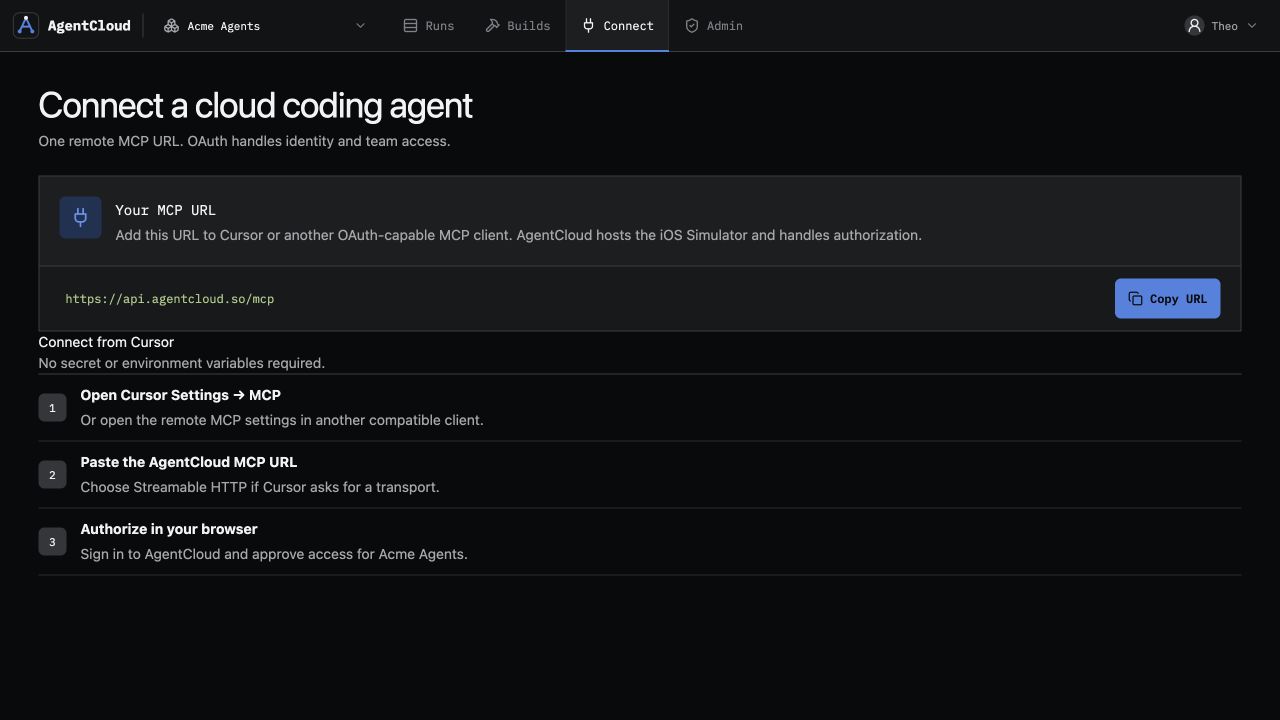
AgentCloud gives Codex, Claude Code, Cursor, CI, and other remote MCP clients a disposable hosted iOS Simulator. Build from Linux or upload a Simulator .app, launch it, inspect the screen, act, and retain the complete run—without exposing a Mac desktop.
No card · 2 Simulator hours · 30 build minutes
Remote agentillustrative session
agent host  linux / cloud / CI
transport   Streamable HTTP MCP
identity    OAuth 2.1 + PKCE

Connected to AgentCloud.
Build this branch for iPhone Simulator, launch it, verify onboarding, and retain the screen, actions, and logs.
Disposable Simulator runillustrative data
ios.buildSimulator artifact readyios.createclean iPhone runtimeios.observescreen + accessibilityios.tapsemantic actionios.logsapplication outputThe run comes back with evidence.
This is the actual AgentCloud run interface with demo data. The reviewer can match every remote agent action to the screen, accessibility state, logs, artifacts, and recording it produced.
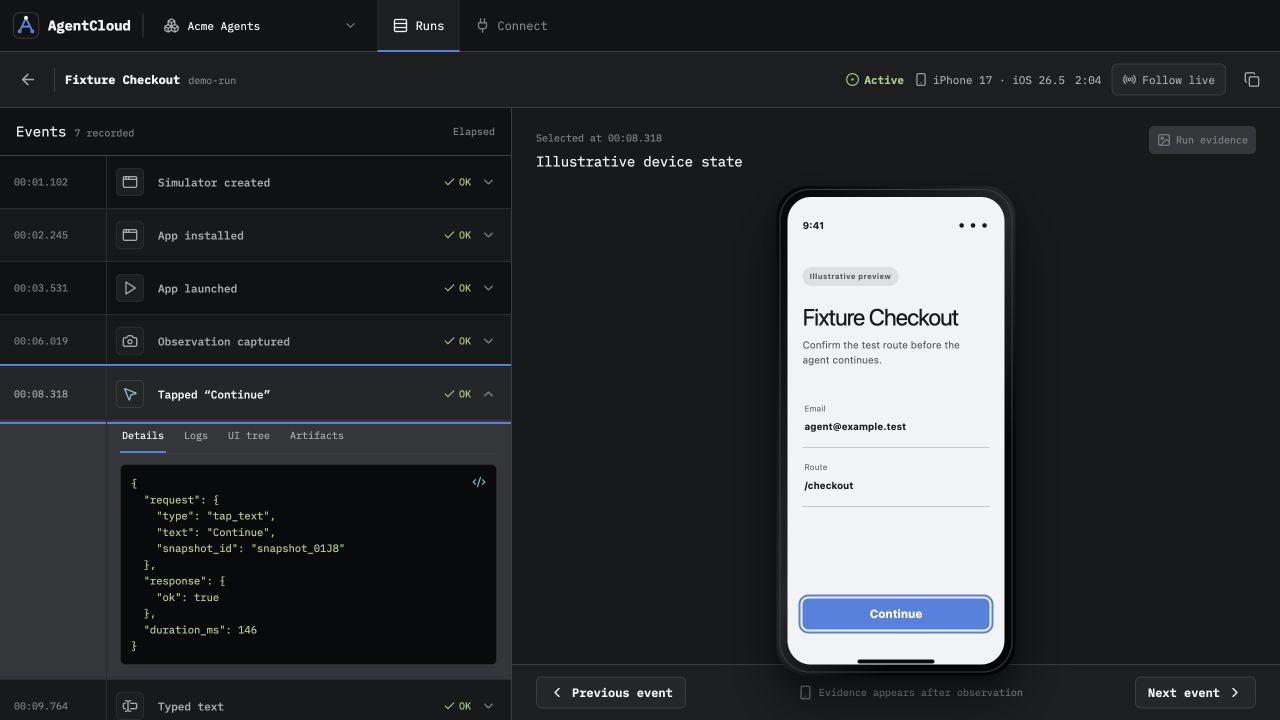
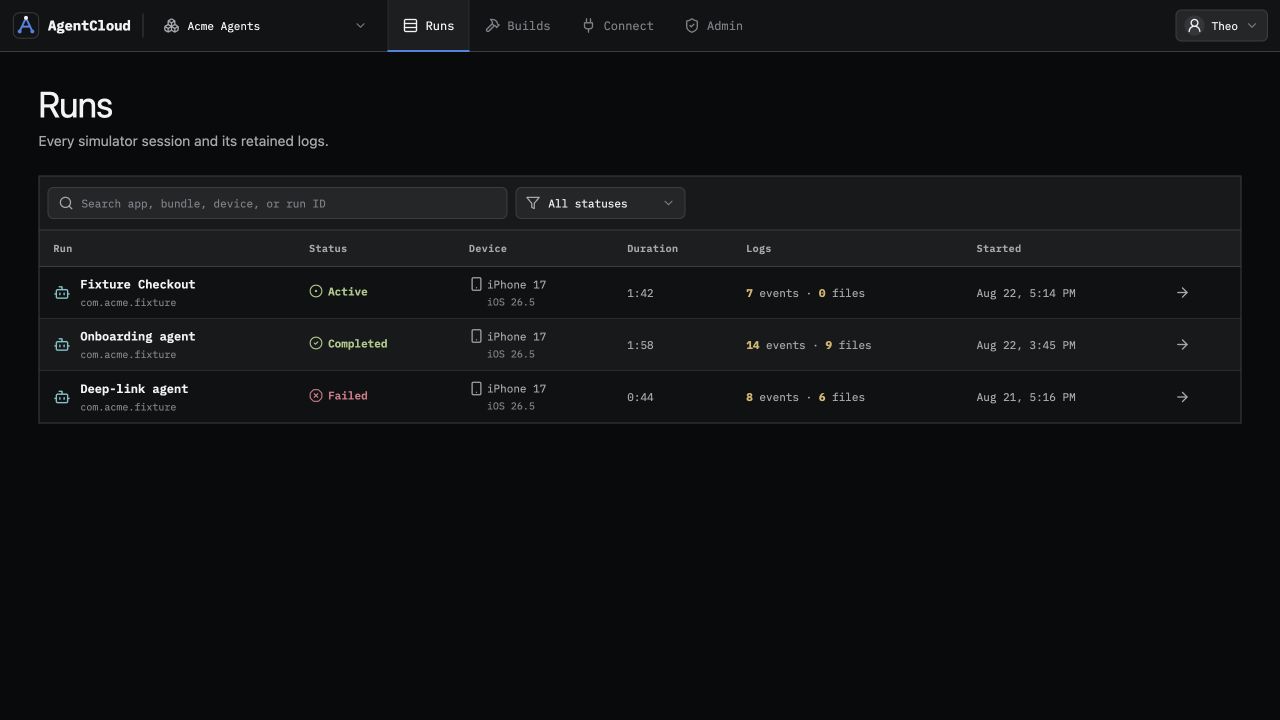
Remote Simulator, not remote computer.
AgentCloud moves the focused iOS loop off the agent host while keeping the broader macOS environment out of reach.
Constraint
Local iOS Simulator
AgentCloud remote iOS
Agent hostMac with Xcode and an iOS runtimeLinux, cloud, CI, SSH, or another networked machine
Build inputLocal Xcode project and toolchainBuild-ready source or a Simulator-compatible
.appMachine accessLocal macOS process accessFocused OAuth MCP tools; no desktop or raw shell
Session isolationShares the developer machineDisposable run pinned to one hosted worker
Review evidenceArtifacts collected across local toolsScreens, actions, accessibility, logs, artifacts, and video stay joined
One remote loop, from source to evidence.
The agent stays on its existing host. AgentCloud schedules the managed macOS build and iOS runtime behind a smaller, safer tool surface.
- 1Connect through MCP
Add
https://api.agentcloud.so/mcpto an OAuth-capable client. - 2Supply the iOS app
Upload build-ready source or a Simulator-compatible
.appbundle. - 3Create a clean session
Start a disposable Simulator, install the app, and launch the target flow.
- 4Observe, act, and review
Drive the UI, read output, destroy the session, and inspect retained evidence.
# Build and create a clean runtime
ios.create_source_upload
ios.build
ios.create

# Verify the live app
ios.install
ios.launch
ios.observe
ios.tap
ios.logs

# End compute; retain the run
ios.destroy
Reviewable iOS resultThe run remains connected to its screens, actions, logs, and video.
Start from the agent you already use.
Each client guide covers its exact MCP setup and the same hosted iOS boundary. The remote runtime and retained evidence stay consistent.
Keep a remote or SSH task away from the Mac while Claude Code calls the hosted build and Simulator tools through project-scoped MCP.
Connect a Cursor project, CLI, or Cloud Agent to the same OAuth MCP endpoint and retain the resulting iOS run for review.
Questions before you move iOS off the laptop.
The remote boundary is intentionally narrower than a Mac rental or physical-device cloud.
Can I run an iOS Simulator remotely without a local Mac?
Yes. AgentCloud keeps the managed Xcode build and disposable iOS Simulator on hosted macOS workers while the coding agent connects through a remote OAuth-enabled MCP endpoint.
Is AgentCloud a remote Mac or browser-based Xcode?
No. AgentCloud exposes focused build and iOS Simulator tools, not a Mac desktop, Xcode interface, or raw worker shell.
Which coding agents can use the remote iOS Simulator?
Codex, Claude Code, Cursor, and other clients that support Streamable HTTP MCP and OAuth can connect to AgentCloud.
Can AgentCloud test a physical iPhone or install an IPA?
No. AgentCloud runs disposable iOS Simulator sessions and accepts Simulator-compatible .app bundles. It does not install device-signed .ipa files or replace physical-device testing.
Can several agents run iOS work in parallel?
Yes. Plan concurrency is 1, 4, or 10 active Simulator sessions. See the parallel iOS PR testing workflow for the multi-branch review model.
Give one remote task a real iOS loop.
Start with 2 free Simulator hours and 30 lifetime build minutes. No card required.