Build this branch for iPhone Simulator, launch it, verify the onboarding deep link, and show me the retained screenshots and logs.
Give Cursor a hosted iOS Simulator.
Keep Cursor on your machine, in its CLI, or in a Cloud Agent. AgentCloud accepts build-ready iOS source, then gives Cursor focused control of a disposable hosted Simulator through OAuth MCP.
2 total iOS Simulator hours · 1 source build total · no card
Project configurationStreamable HTTP
{
  "mcpServers": {
    "agentcloud": {
      "url": "https://api.agentcloud.so/mcp"
    }
  }
}

AgentCloud · OAuth authenticated
Build this branch for iPhone Simulator. Launch it, verify onboarding, and retain the screenshots and logs.
AgentCloud runillustrative data
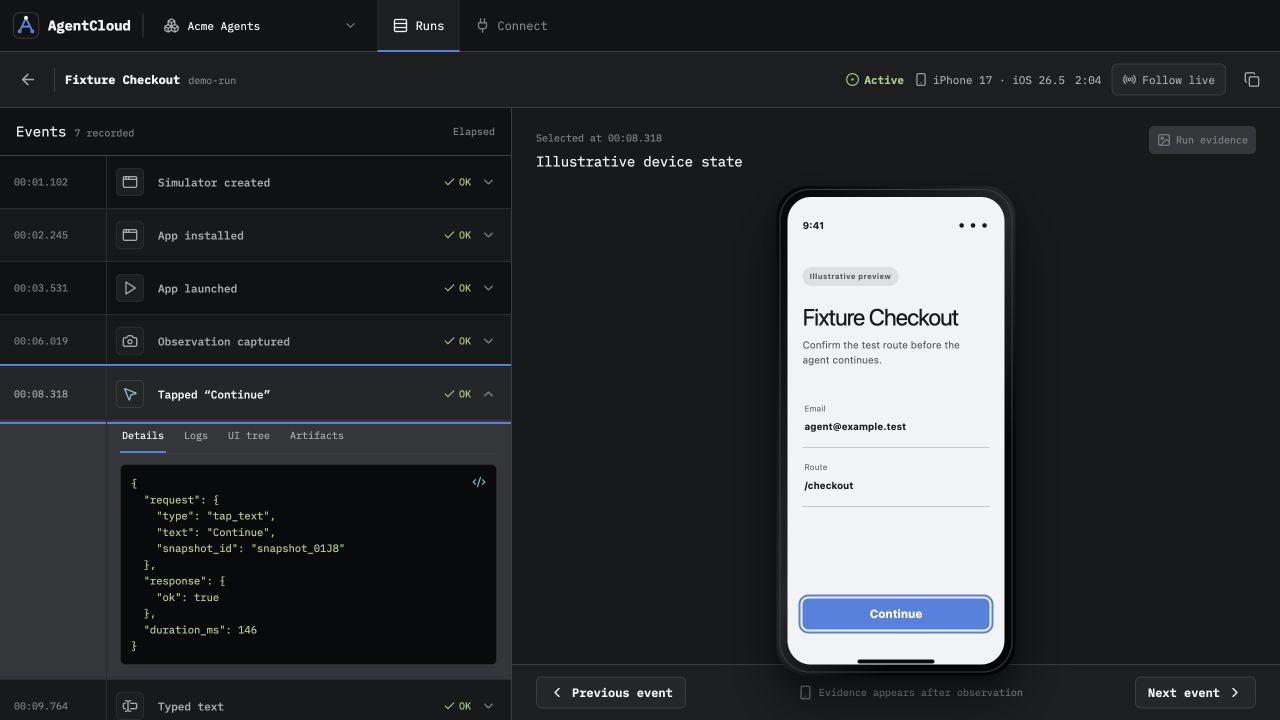
ios.create_source_uploadsource acceptedios.buildSimulator artifact readyios.createiPhone 16 Proios.observescreen + accessibilityios.acttap “Continue”ios.logs0 errorsCursor gets the tools. Your team gets the run.
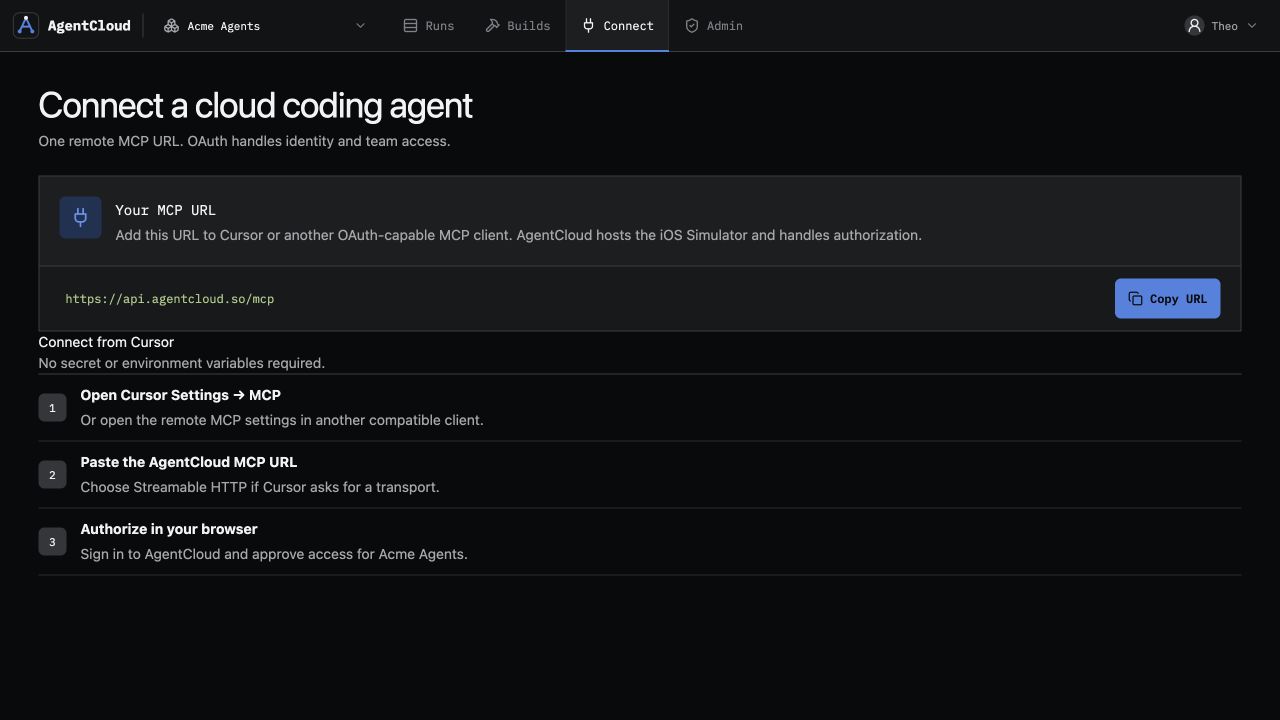
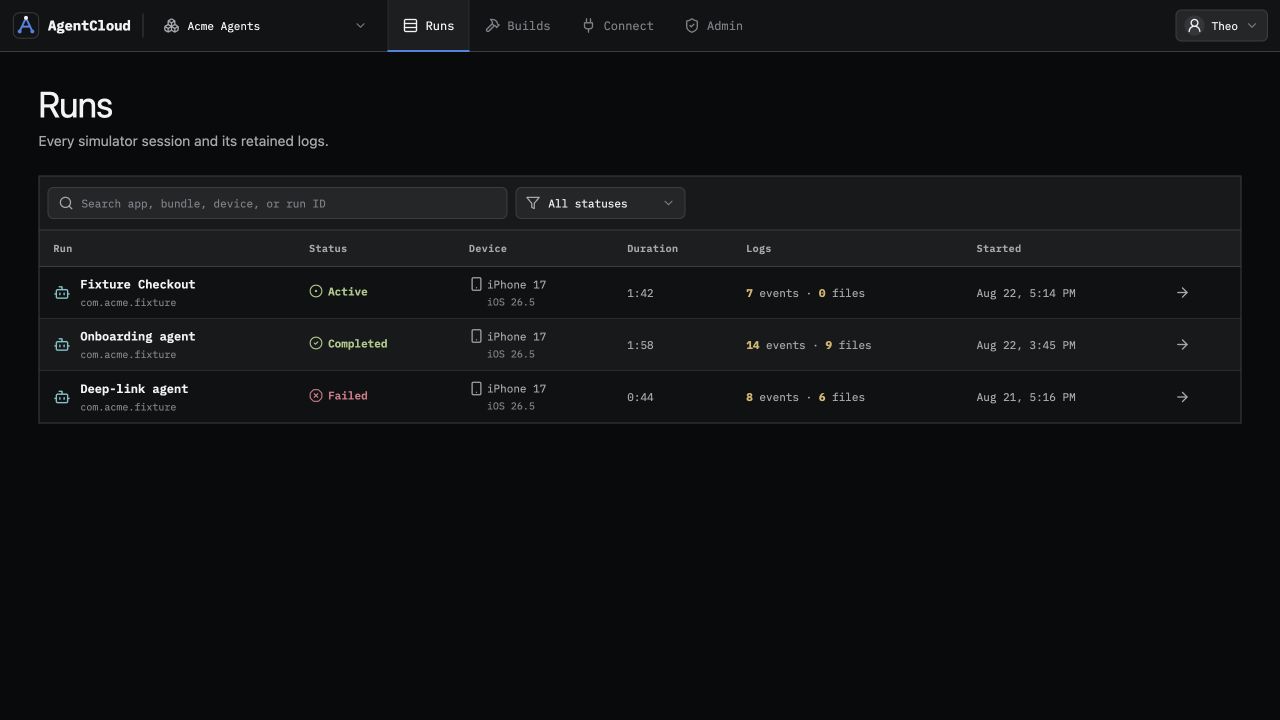
This is the actual AgentCloud interface with illustrative data. Every action stays beside the screen, accessibility state, logs, and recording it produced.
One project file. One OAuth approval.
Cursor reads project MCP servers from .cursor/mcp.json. The same server is visible to Cursor CLI, while Cloud Agents can enable the HTTP integration from Cursor’s MCP controls.
- 1Create a free workspace
Start with 2 total iOS Simulator hours and one managed source build total, without a card.
- 2Add the project server
Create
.cursor/mcp.jsonand use the AgentCloud HTTP URL shown here. - 3Complete OAuth
Authorize AgentCloud from Cursor’s MCP settings or run
agent mcp login agentcloud. - 4Ask Cursor to verify
Send build-ready source, then let Cursor build and operate the hosted run.
{
  "mcpServers": {
    "agentcloud": {
      "url": "https://api.agentcloud.so/mcp"
    }
  }
}

# Optional Cursor CLI checks
agent mcp list
agent mcp login agentcloud
Ready for an iOS acceptance loopCursor can discover AgentCloud’s focused tools without receiving access to a Mac desktop or raw shell.
Turn a code change into retained iOS proof.
Once AgentCloud is connected, Cursor can choose the focused build and Simulator tools needed to verify a real interface change.
Start a clean Simulator, reproduce the checkout failure, use accessibility labels where possible, and report the first failing step with evidence.
Build the changed app, verify the acceptance criteria on hosted iOS, destroy the session, and link the completed AgentCloud run.
The exact boundary.
A hosted iOS build-and-Simulator workflow for Cursor, not a remote computer rental.
Can Cursor Cloud Agents use AgentCloud?
Yes. Enable AgentCloud as a personal MCP from the Cloud Agent MCP picker, or have a team admin add it under Dashboard → Integrations & MCP. Use the remote HTTP URL and complete OAuth for the user.
Does AgentCloud provide Cursor a Mac or Xcode?
No. Cursor receives focused build and Simulator tools. AgentCloud does not expose a Mac desktop, Xcode interface, or raw worker shell.
What source does AgentCloud accept?
Build-ready iOS source containing an Xcode workspace or project and its required dependencies, or a Simulator-compatible .app bundle. Device-signed .ipa files are not supported.
How does Cursor authenticate?
Cursor connects to https://api.agentcloud.so/mcp, discovers AgentCloud’s OAuth metadata, and completes OAuth 2.1 authorization with PKCE in the browser.
What is included free?
Each team gets 2 total iOS Simulator hours and one managed source build without a card. Paid plans add recurring time, concurrency, and longer run retention.
Let one Cursor task verify iOS for real.
Start with 2 total iOS Simulator hours and one managed source build total. No card required.